 QueueScope
Why is a BullMQ job stuck in waiting-children?
A parent in waiting-children may be doing exactly what its flow requires: waiting for dependent work. Investigate the child jobs before treating the parent as a failed processor.
Separate waiting from failure
In a typical BullMQ flow, a parent becomes eligible to run after its child jobs complete successfully. A child can belong to another queue, so looking only at the parent queue can miss the job holding up the workflow. Failure-handling options can change how a parent responds to a failed child; check the options used when your flow was created.
Open the dependency graph
In QueueScope, inspect the parent and choose View parent and child jobs. You can also enter its job ID in Flow graph. The graph shows ancestors and descendants across queues. Select a node to inspect its payload, state, options, failure reason, and timestamps.
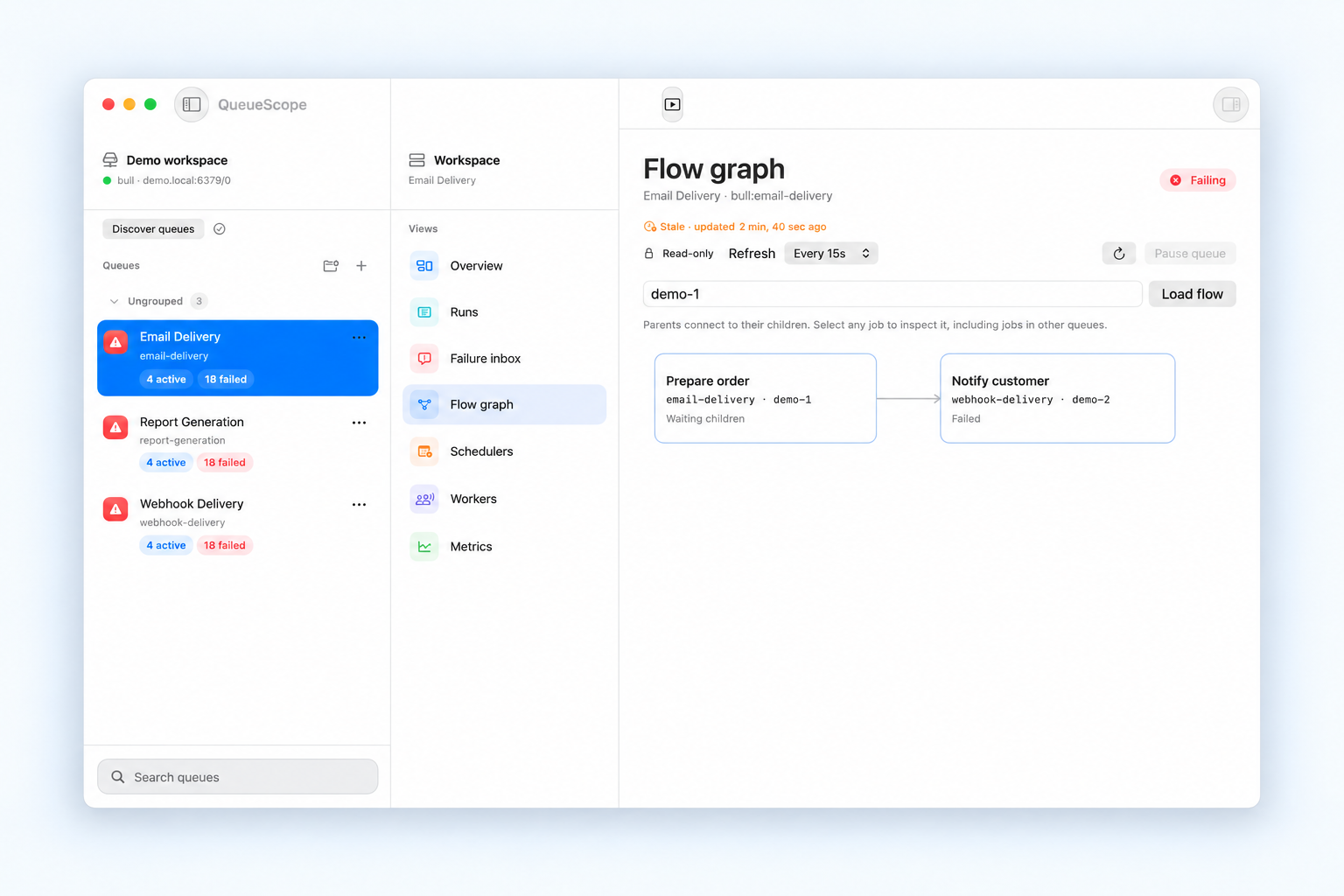
Investigate the child’s current state
- Failed: read the error and attempts, then check whether the underlying cause is resolved.
- Waiting: check that the child queue has an appropriate worker and is not paused.
- Delayed: check its scheduling and retry configuration before assuming it is stuck.
- Active: correlate job timestamps with the worker logs to understand whether processing is progressing.
The graph is a view of retained job data. It cannot replace worker logs or establish that a named worker connection is processing this specific job.
Handle a partial graph
QueueScope limits a graph to 80 jobs, eight ancestor levels, and six descendant levels. A partial-graph notice means the displayed branch is incomplete. Open a descendant’s flow to explore that branch instead of assuming the visible nodes represent every dependency.
Jobs under another prefix can be inspected, but their mutations are disabled. Connect to the intended prefix before considering a job action. Start with a read-only profile while you establish the relationship.
Verify the whole workflow after a fix
If an eligible child needs a retry, fix its cause and confirm that repeating it is appropriate. Then watch the child’s result and refresh the parent’s state. A retry request being accepted is not evidence that the whole workflow completed.
For the underlying semantics and available failure options, read the official BullMQ flow documentation. For error investigation, follow the failed-job guide.