 QueueScope
Bull Board alternatives for BullMQ
Looking for a Bull Board alternative on your Mac? QueueScope is a free, open-source SwiftUI dashboard for inspecting BullMQ jobs, grouping failures, and connecting to private Redis through SSH.
Choose around your debugging workflow: a native Mac app, a browser dashboard embedded in your backend, or a tool that offers both desktop and server options. Here is how QueueScope, Bull Board, and Workbench differ.
Quick comparison
| Workflow | QueueScope | Bull Board | Workbench |
|---|---|---|---|
| Interface | Native SwiftUI macOS app | Browser dashboard | Browser dashboard and Tauri macOS client |
| Getting started | Install the signed app or Homebrew cask; add Redis | CLI, Docker, or framework adapter | Desktop client, Docker, or framework adapter |
| Shared browser access | No hosted team dashboard | Serve a dashboard endpoint | Serve from a backend or standalone container |
| Queue compatibility | Targets BullMQ 5.77.x Redis layouts | Bull and BullMQ adapters; see current version support | BullMQ; legacy Bull is not supported |
| Good fit | Local Mac debugging with SSH, failure grouping, and read-only profiles | Embedding a queue UI in an existing application | Backend integrations, desktop access, and MCP workflows |
This is a comparison from the QueueScope maintainer. It describes documented workflows, not a performance benchmark. Features and compatibility can change; check each project's documentation before choosing.
Why choose QueueScope as your Bull Board alternative?
- Work from a native Mac interface. SwiftUI controls, light and dark appearances, and saved local connection profiles.
- Reach private Redis through SSH. Use existing keys or an SSH agent while retaining known-host checks and Redis TLS verification.
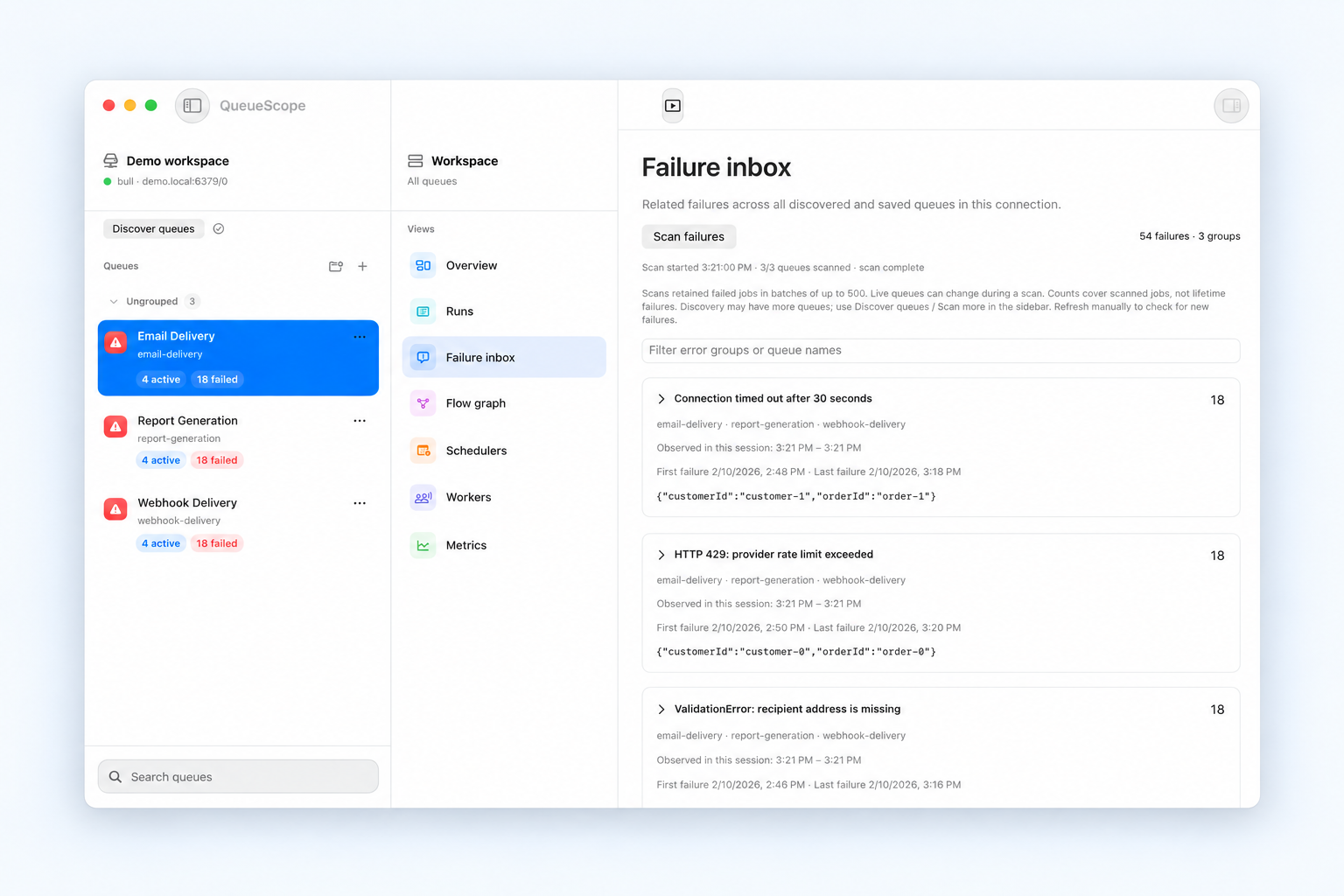
- Start with the failure pattern. Scan retained failures and group related errors, then open a representative job's payload, attempts, and stack trace.
- Follow the dependency. Trace parent and child jobs across queues in a flow graph.
- Inspect before changing jobs. Use a read-only connection profile; eligible job actions are available on writable connections.
Release builds store Redis credentials in macOS Keychain. The packaged app includes its Node runtime for BullMQ-backed job actions. No QueueScope account or dashboard server deployment is required.
When Bull Board or Workbench fits better
Bull Board offers a browser interface with CLI, Docker, and framework integration paths. Workbench offers backend adapters, standalone Docker deployment, MCP integration, and a Tauri desktop client for macOS. A desktop option alone is not unique to QueueScope.
If your team needs one shared browser URL or integration into an existing operations application, evaluate those server workflows. QueueScope focuses on local Mac debugging. It does not provide team accounts, a hosted dashboard, or an alerting service.
Try QueueScope without changing your BullMQ application
- Install on macOS 14 or later. Apple Silicon and Intel are supported.
- Open Connection Manager and select Explore offline demo to inspect sample failures and flows.
- Add your Redis connection and the correct database and BullMQ prefix. Use SSH if Redis is on a private network.
- Start read-only. Discover a queue, inspect a failed job, and follow its dependencies before considering any action.
For the full setup, read Getting started. For debugging, see inspecting failed BullMQ jobs, connecting through SSH, and understanding waiting-children flows.
Common questions about switching from Bull Board
Do I have to replace my workers or producers?
No. QueueScope inspects an existing BullMQ Redis connection. It does not replace your queue library, workers, or job producers.
Does QueueScope support legacy Bull queues?
QueueScope targets BullMQ 5.77.x Redis layouts. Choose a tool with documented Bull support if you use legacy Bull; do not assume BullMQ compatibility means Bull compatibility.
Can I use it alongside Bull Board?
Yes, as another client connected to the same Redis. Start read-only and use Redis ACLs for server-enforced permissions. Changes made by other clients can affect what any dashboard observes.
Can it recover deleted failed jobs?
No dashboard can reconstruct a removed job from data Redis no longer retains. Review your retention policy; read why failed jobs disappear.